Related People
Dan Saffer, Cole Biehle

Looking Ahead: AI Needs UI
CMU students rethink the future of the artificial intelligence user interface
There is a distinct tension when opening an artificial intelligence (AI) tool and facing that empty text box with its blinking cursor. What feels like a launchpad of pure possibility to some leaves other users frozen in place.
The cursor blinks slowly. The user pauses.
“What should I ask?,” is a question the students said they heard frequently during their user research. “How do I even start?”
This paralyzing blank page effect is just one of many challenges students found while researching the problems with AI interfaces. They found that the basic blank text box doesn’t give users enough structure to get started, and instead slows them down by increasing their cognitive load.
For the past two semesters, Carnegie Mellon University graduate students have explored this and other aspects of the user interfaces of AI tools during an independent study offering with Dan Saffer, assistant professor of the practice at the Human-Computer Interaction Institute.
A user interface (UI) is the interactive space where humans and machines communicate – a place where users tell the machine what to do and machines provide feedback and information in response.
Although the blank text box prompt is currently the status quo, Saffer wants companies to move beyond that and invest in their AI tool’s UI design to help users accomplish their goals.
“User interfaces aren’t disappearing; they’re evolving,” said Saffer, who draws parallels to previous UI evolutions when technology shifts. “This isn’t my first rodeo. I was around during the transition from desktop to web and from web to mobile. When mobile became ascendant 20 years ago, we added new UI components to take advantage of what mobile could do. AI is the same. A great UI is more important than ever so that we can understand and use AI effectively, building better mental models of what this technology can and cannot do.”
Saffer, the author of Microinteractions: Designing with Details, breaks down AI with his students as another new technology that needs new interactions and microinteractions.
“AI is bringing four interactions to the foreground,” said Saffer. “Directing - giving the AI instructions; Monitoring - making sure the AI is doing what it said it was going to do; Iterating - seeing what the AI did and possibly modifying it; and Approving - signing off on the output.”
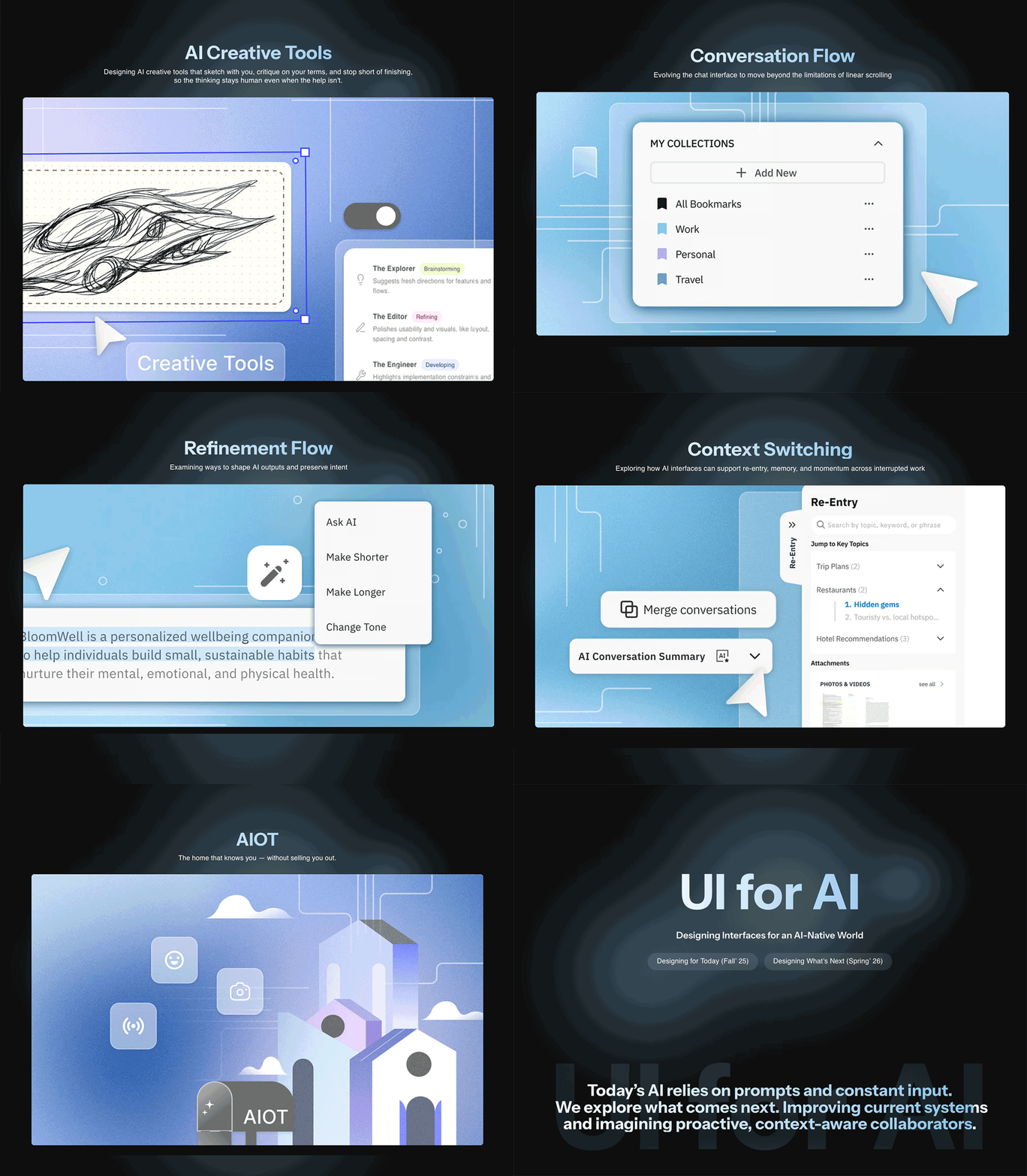
An image rotation of a few student projects from UI for AI.
In the fall 2025 semester, Saffer led the UI for AI independent study to focus on the current problems users have with AI interfaces. Small teams of students explored a variety of topics, including blank canvases, bookmarks to assist with non-linear workflows, ways to reimagine how AI can support refinement, and memory and privacy options for users to pick up where they leave off.
“If there is one thing that the first semester of UI for AI taught me is that AI really needs UI,” said Saffer. “The different concepts the teams came up with make AI more usable, transparent, understandable and valuable.”
However, while they focused on the present issues of AI interfaces, students were seeing some of their ideas – like AI-generated browser tab clusters – announced by industry in real time. No sooner had the semester ended that something similar, GenTabs, was announced by Google Labs.
“This just means we were on the right track,” said Saffer. “The future has its own timelines.”
So, the rapidly-changing nature of the AI industry inspired Saffer to change the next iteration of the UI for AI offering to imagine what future AI experiences could be like three to five years from now.
As students in the spring 2026 semester designed what they think will be next in AI interfaces, a few examples explored designs that enhance creative work, AI for smart home environments, and, the very meta, AI that manages your other AI.
Graduate student Cole Biehle (MHCI 2026) took the independent study both semesters.
“So many classes focus on learning about the present and what others have already done. I was really drawn to UI for AI because it provided an opportunity to get out of my comfort zone and not just think about the future, but actually work on a tangible plan for how we can get there,” Biehle said. “It positions us as changemakers for the kind of world that we want to live in, rather than passive observers of what already exists.”
Biehle enjoyed advocating for ideas and communicating values during the group‘s weekly shareouts.
“I also really enjoyed documenting our journey by publishing articles online, which is a great way to receive feedback from professionals and ensure that our contributions are relevant and meaningful to people out in the world,” said Biehle.
Visit the UI for AI website or the UI for AI Medium page for students' projects, prototypes, videos, design principles and articles on how the different concepts were made.
Research Areas